Split it. Settle it. Stay friends.
Groceries, the water can, a weekend away. Share the cost with the people you live with, see who owes what, and settle up — without a separate app for it.
One group for every set of people
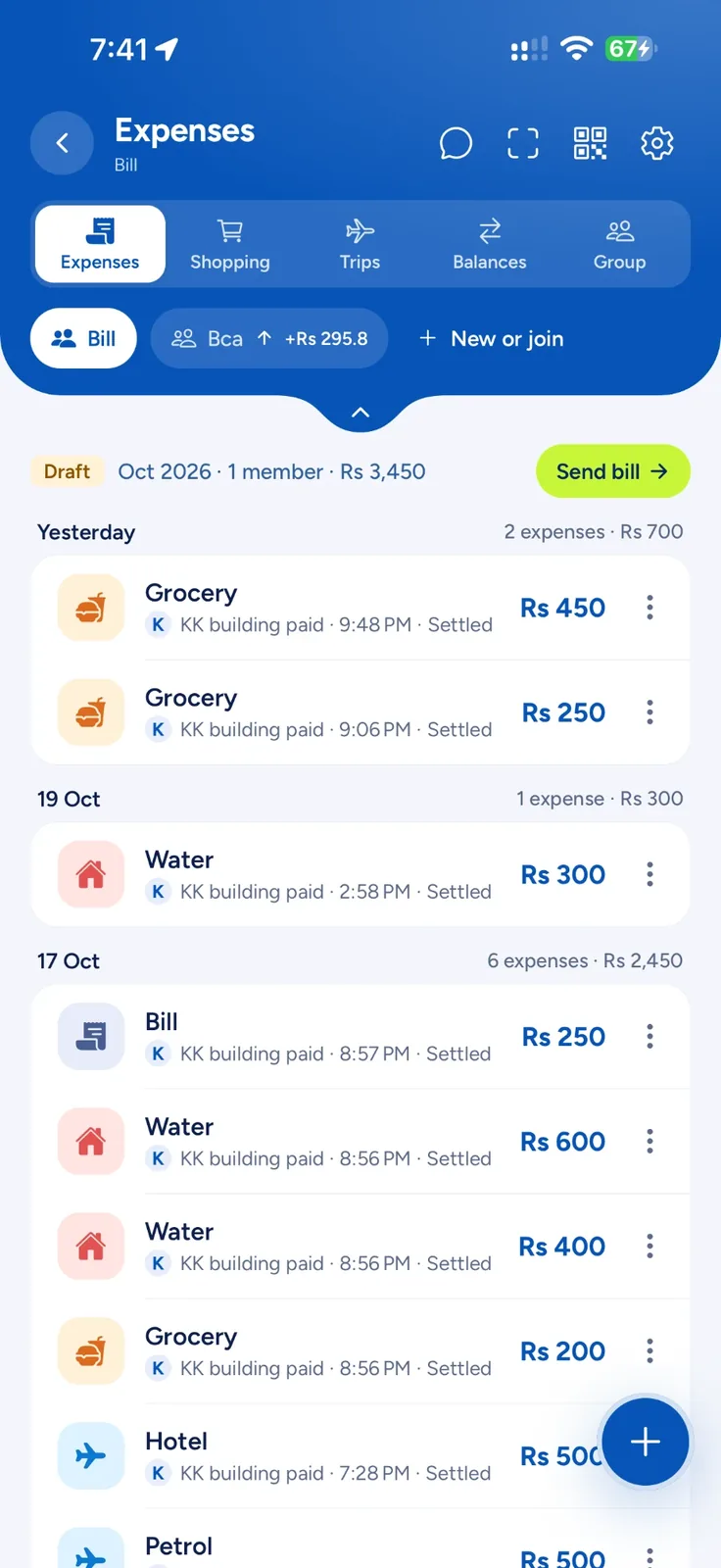
Make a group for your room, your flat or your friends. Every group shows its members, its expenses for the month and what you are owed or owe.
- A group per room, flat or friend circle
- See what you receive or owe on the home screen
- Monthly cycles that close cleanly
Buy it once, add it once
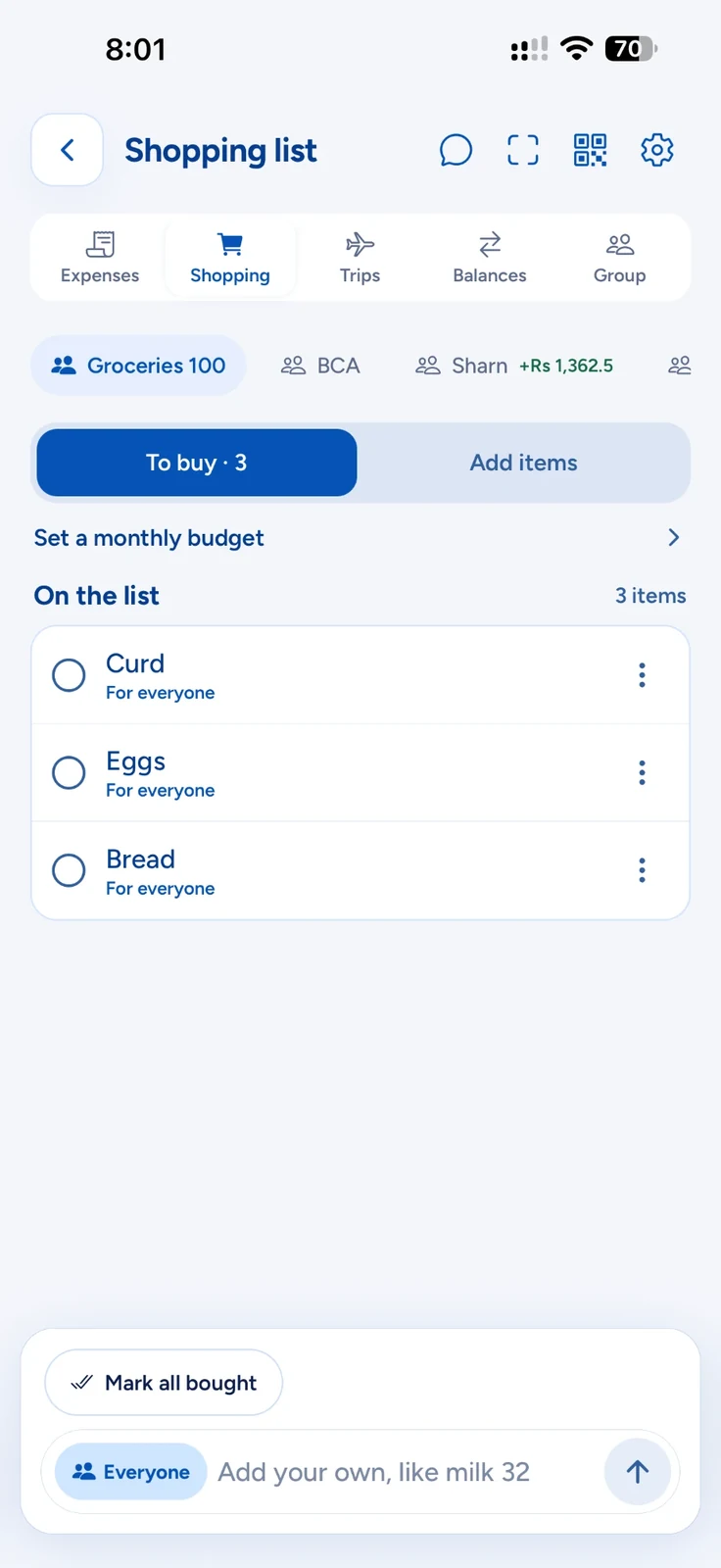
Anyone in the group adds what is running out. Whoever goes to the shop ticks it off, and Mark all bought clears the list in one tap.
- Add items for everyone, or just for yourself
- Quick add: type “milk 32” and it is on the list
- A monthly budget for the group
Trips with a fund, not a spreadsheet
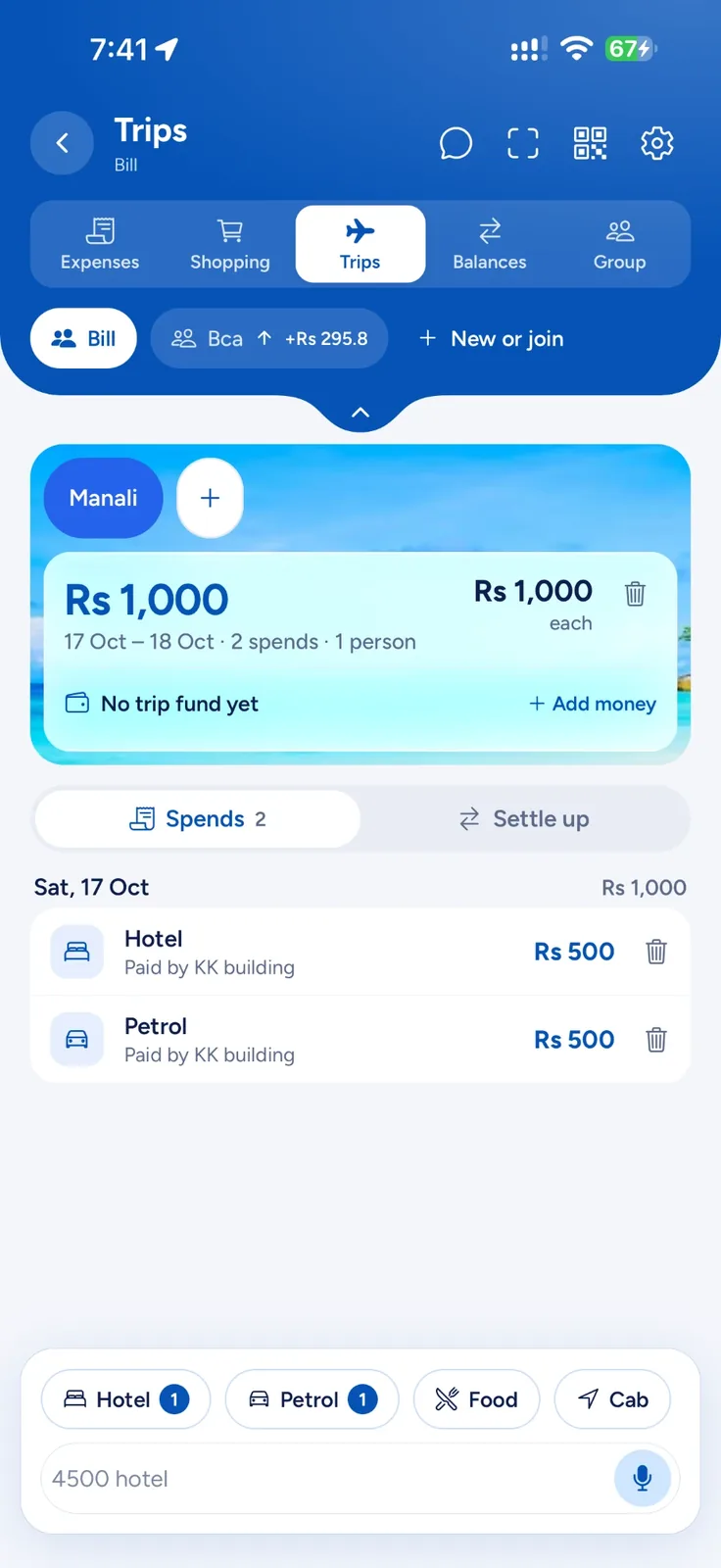
Put money into a trip fund, log each spend against a category, and see what is left. When the trip ends, settle up inside the group.
- A trip fund that shows what is left as you spend
- Type “4500 hotel” or say it out loud
- Spends by category: hotel, petrol, food, cab
- Settle up when the trip is over
Your rent and your shared bills, together
The people you split with are the people you share a home with. Rent, complaints, guest passes and shared expenses all live in Rentro, so there is one place to look and one group to keep.
Start your first group
Add your housemates, add the first expense, and see the balance straight away.